
Syslog Viewer for Kubernetes Logs
A simple, focused tool for viewing Kubernetes logs collected via rsyslog. Perfect for development environments where enterprise logging solutions are overkill.
Syslog Viewer for Kubernetes Logs

Introduction
When working with Kubernetes clusters, viewing and analyzing container logs is a daily task. While enterprise solutions like the ELK Stack or Grafana Loki provide comprehensive logging capabilities, they come with significant complexity and resource requirements. For development environments and small-scale projects, a simpler solution is often more practical.
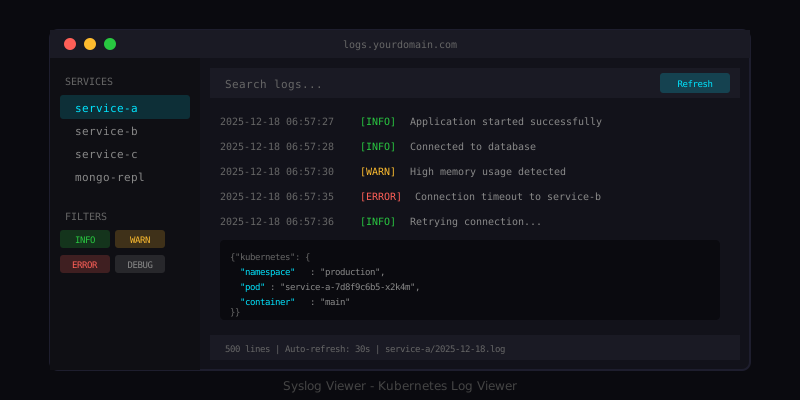
Syslog Viewer is a lightweight, web-based log viewer designed specifically for Kubernetes container logs collected via rsyslog. It provides a clean, dark-themed interface for viewing, filtering, and analyzing logs in real-time without the overhead of enterprise logging platforms.
This tool is intentionally simple. It is designed for development environments and small-scale projects where you need quick access to logs without setting up complex infrastructure. For high-load production environments, dedicated log management platforms remain the better choice.
Note: This project prioritizes simplicity over features. It does one thing well: displaying logs in a readable, filterable format.
The Problem
Kubernetes logging presents several challenges:
- Distributed logs - Logs are spread across multiple pods and nodes
- Ephemeral containers - When pods restart, their logs are lost
- Complex tooling - Enterprise solutions require significant setup and resources
- Development friction - Developers need quick access to logs without complex queries
For development and testing environments, the overhead of enterprise logging solutions often outweighs their benefits. What developers need is a simple way to view logs from a central location with basic filtering capabilities.
Solution Overview
Syslog Viewer addresses these needs with a minimal, focused approach:
Kubernetes Cluster          Rsyslog Server           Syslog Viewer
+----------------+         +----------------+        +----------------+
|  Pod Logs      |  --->   |  /var/log/k8s/ |  --->  |  Web Interface |
|  (Fluentd/     |         |  service-a/    |        |  Filter & View |
|   Fluent Bit)  |         |  service-b/    |        |                |
+----------------+         +----------------+        +----------------+
The architecture is straightforward:
- Fluentd or Fluent Bit collects logs from Kubernetes pods
- Logs are forwarded to a central rsyslog server
- Rsyslog organizes logs by service and date
- Syslog Viewer provides a web interface to view and filter logs
Features
Dark Theme Interface
The interface uses a dark theme that is easy on the eyes during long debugging sessions. Log levels are color-coded for quick identification of errors and warnings.
Advanced Filtering
Filter logs by multiple criteria:
- Log Level - INFO, WARN, ERROR, DEBUG
- Service - Select specific services from the sidebar
- Search Text - Full-text search across log content
- Line Limit - Control how many lines to display (500-1000 recommended)
Auto-Refresh
Enable automatic updates with configurable intervals from 5 to 60 seconds. This is useful when monitoring active deployments or debugging issues in real-time.
Download Capability
Export filtered log results for offline analysis or sharing with team members.
JSON Syntax Highlighting
Kubernetes logs often contain JSON payloads. The viewer automatically detects and formats JSON content for improved readability.
Lightweight Implementation
The entire application is built with pure JavaScript, HTML, and CSS. No frameworks, no build steps, no dependencies. This makes it easy to deploy and maintain.
Technical Implementation
Directory Structure
The viewer expects logs organized by service with daily rotation:
/var/log/k8s/
├── service-a/
│   ├── 2025-12-17.log
│   └── 2025-12-18.log
├── service-b/
│   └── 2025-12-18.log
└── service-c/
    └── 2025-12-18.log
The viewer automatically detects today's log files from each service directory.
Rsyslog Configuration
Rsyslog templates organize incoming logs by service and date:
template(name="ServiceDailyLog" type="string"
         string="/var/log/k8s/%programname%/%$YEAR%-%$MONTH%-%$DAY%.log")
Filter rules route logs to the appropriate files:
if $fromhost-ip startsWith "10.42." then {
    if $msg contains "my-service" then {
        action(type="omfile" DynaFile="ServiceDailyLog")
        stop
    }
}
This configuration creates a clean separation of logs by service while maintaining daily rotation for manageable file sizes.
Nginx Configuration
Nginx serves the static files and provides access to log files:
server {
    listen 80;
    server_name logs.yourdomain.com;

    root /var/www/syslog-viewer;
    index index.html;

    # Serve log files
    location /logs/ {
        alias /var/log/k8s/;
        autoindex on;
        autoindex_format json;
    }

    # Optional: Basic authentication
    # auth_basic "Restricted Access";
    # auth_basic_user_file /etc/nginx/.htpasswd;
}
The autoindex_format json directive enables the viewer to programmatically list available services and log files.
Log Format
The viewer expects logs in a standard syslog format with optional JSON payloads:
2025-12-18T06:57:27.744238+00:00 hostname {"time":"...","stream":"stdout","message":"...","kubernetes":{...}}
The JavaScript parser extracts timestamps, hostnames, and message content, with special handling for JSON payloads.
Deployment
Quick Start for Local Development
Run the viewer locally without any installation:
# Using Python 3 (built-in, no installation needed)
python3 -m http.server 8080

# Or with Node.js
npm start
Then open http://localhost:8080 in your browser.
Production Deployment
For production use:
- Deploy application files
sudo mkdir -p /var/www/syslog-viewer
sudo cp index.html styles.css app.js /var/www/syslog-viewer/
sudo chown -R www-data:www-data /var/www/syslog-viewer
- Configure Nginx
sudo cp nginx.conf /etc/nginx/sites-available/syslog-viewer
sudo ln -s /etc/nginx/sites-available/syslog-viewer /etc/nginx/sites-enabled/
sudo nginx -t
sudo systemctl reload nginx
- Set up log forwarding
Deploy Fluentd or Fluent Bit to your Kubernetes cluster to forward logs to your rsyslog server.
Kubernetes Log Forwarding
Using Fluentd DaemonSet:
kubectl apply -f k8s-fluentd-config.yaml
Configure the rsyslog server address in the Fluentd configuration:
env:
- name: FLUENT_SYSLOG_HOST
  value: "your-rsyslog-server.example.com"
Alternatively, use Fluent Bit for a lighter footprint:
[OUTPUT]
    Name syslog
    Match *
    Host rsyslog-server.example.com
    Port 514
    Mode tcp
    Syslog_Format rfc5424
Security Considerations
Basic Authentication
Protect the log viewer with HTTP basic authentication:
sudo apt-get install apache2-utils
sudo htpasswd -c /etc/nginx/.htpasswd admin
Uncomment the authentication lines in the Nginx configuration.
HTTPS
For production deployments, enable HTTPS:
sudo apt-get install certbot python3-certbot-nginx
sudo certbot --nginx -d logs.yourdomain.com
Network Isolation
Consider placing the log viewer on an internal network or behind a VPN. Log data can contain sensitive information that should not be publicly accessible.
Keyboard Shortcuts
The viewer supports keyboard shortcuts for efficient navigation:
| Shortcut           | Action             |
|--------------------|--------------------|
| Ctrl+K / Cmd+K     | Focus search box   |
| Ctrl+R / Cmd+R     | Refresh current log|
| Esc                | Clear search       |
Performance Considerations
For optimal performance:
- Use line limits - Display 500-1000 lines at a time
- Filter by service - Reduce log volume by selecting specific services
- Disable auto-refresh - Turn off when analyzing specific issues
- Regular log rotation - Keep individual log files manageable in size
When to Use Something Else
Syslog Viewer is intentionally simple. Consider more robust solutions when:
- You need log aggregation across multiple clusters
- You require long-term log retention and analysis
- You need alerting based on log patterns
- You have high log volumes (millions of lines per day)
- You need compliance-grade audit logging
For these use cases, consider ELK Stack, Grafana Loki, Datadog, or similar enterprise solutions.
Lessons Learned
Building this tool reinforced several principles:
- Simplicity has value - Not every problem needs a complex solution
- No frameworks needed - Pure JavaScript can build effective tools
- Dark themes matter - Developers spend hours looking at logs; eye strain is real
- Keyboard shortcuts improve UX - Small conveniences add up
- Know your scope - Building for development environments allows different tradeoffs than production systems
Conclusion
Syslog Viewer fills a specific niche: simple, lightweight log viewing for Kubernetes development environments. It does not try to compete with enterprise logging solutions, but rather provides a practical alternative when those solutions are overkill.
The tool demonstrates that effective developer tools do not need to be complex. Sometimes a well-designed web page with good filtering is exactly what you need.
The complete source code is available on GitHub, including sample configurations for rsyslog, Nginx, and Kubernetes log forwarding.
Built for DevOps Engineers who need quick access to logs without enterprise complexity.
Technologies Used
Frontend
DevOps & Cloud
Other
Related Projects
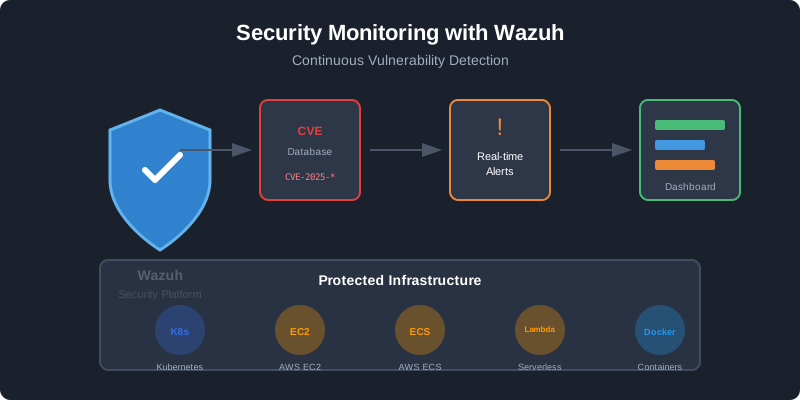
React Security Vulnerability: Why You Need Wazuh
How a React dependency vulnerability exposed millions of applications and why continuous security monitoring with Wazuh is essential.
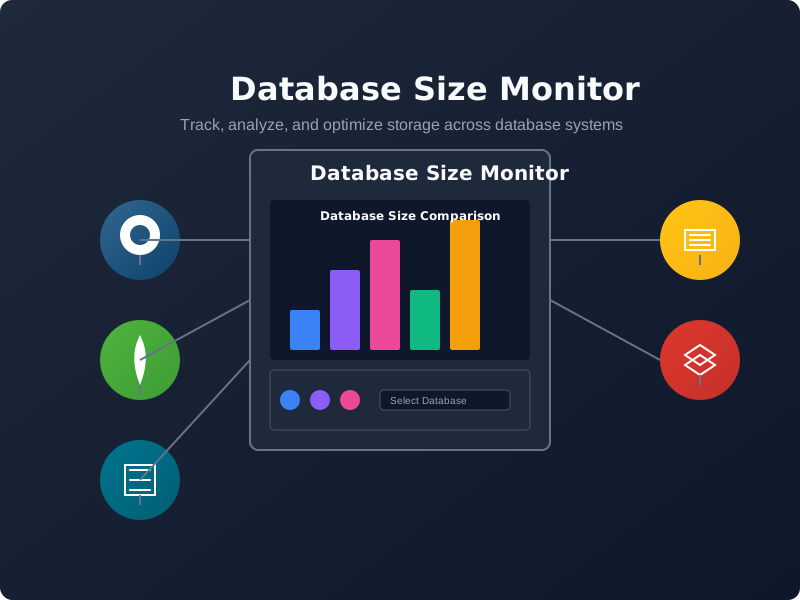
Database Size Monitor
A comprehensive toolkit for monitoring and analyzing database sizes across various database systems.
Have a project in mind?
Let's work together to bring your ideas to life. Our team of experts is ready to help you build something amazing.