
React Security Vulnerability: Why You Need Wazuh
Examining the React security incident and implementing Wazuh for continuous vulnerability detection across Kubernetes, ECS, EC2, and Lambda environments.
React Security Vulnerability: A Wake-Up Call for Dependency Monitoring
Introduction
In December 2025, a critical security vulnerability (CVE-2025-55182) in React Server Components sent shockwaves through the development community. The React team published an official security advisory detailing the issue, which affected projects worldwide. Teams scrambled to assess their exposure. This incident highlighted a fundamental truth: even the most trusted libraries can become attack vectors overnight.
This post examines what happened, why it matters, and how implementing proper security monitoring with tools like Wazuh can help you detect and respond to such vulnerabilities before they become breaches.
The React Vulnerability Incident (CVE-2025-55182)
The vulnerability (CVE-2025-55182) affected React Server Components, a core feature used by millions of applications. According to the official React blog post, the issue allowed potential exploitation through the server-side rendering pipeline. What made this particularly dangerous was:
- Silent propagation: The vulnerability spread through normal package updates
- Wide attack surface: Millions of applications potentially affected
- Delayed detection: Many teams discovered exposure days or weeks later
This is not an isolated incident. Supply chain attacks targeting JavaScript dependencies have increased significantly, with notable examples including event-stream, ua-parser-js, and coa packages.
Why Traditional Security Measures Fall Short
Most development teams rely on:
- Manual dependency audits (infrequent)
- CI/CD security scans (only during builds)
- GitHub Dependabot alerts (reactive, not proactive)
These approaches share a common flaw: they are periodic rather than continuous. A vulnerability can exist in your production environment for days before any alert triggers.
Enter Wazuh: Continuous Security Monitoring
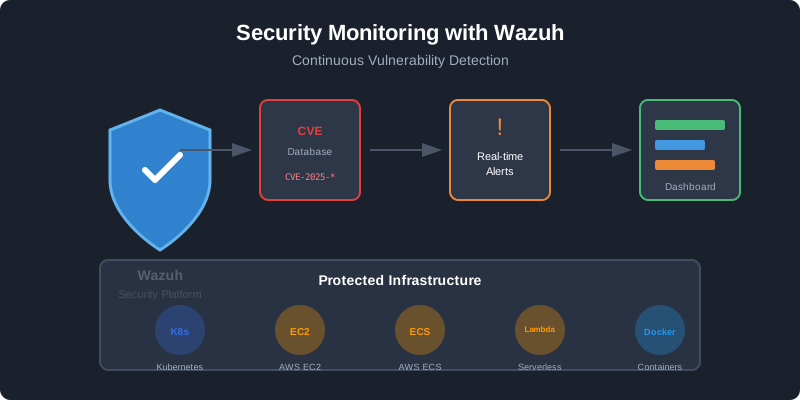
Wazuh is an open-source security platform that provides continuous monitoring, threat detection, and compliance management. Unlike periodic scanners, Wazuh agents run continuously on your infrastructure, providing real-time visibility into security events.
Key Capabilities
| Feature                  | Benefit                                              |
|--------------------------|------------------------------------------------------|
| Vulnerability Detection  | Continuously scans installed packages against CVE databases |
| File Integrity Monitoring| Detects unauthorized changes to application files    |
| Log Analysis             | Identifies suspicious patterns in application logs   |
| Compliance Reporting     | Tracks security posture against standards            |
Setting Up Wazuh for Your Infrastructure
Architecture Overview
+---------------+         +----------------+         +-----------+
| Wazuh Agent   |-------->|    Wazuh       |-------->|   CVE     |
| (Collects     |         |   Manager      |         | Databases |
|  packages)    |         |  (Analyzes)    |         |           |
+---------------+         +----------------+         +-----------+
                                 |
                                 v
                          +----------------+
                          |   Dashboard    |
                          |   (Alerts)     |
                          +----------------+
Server Requirements
| Component     | Minimum        | Recommended             |
|---------------|----------------|-------------------------|
| Instance Type | t3.large       | t3.xlarge or c5.2xlarge |
| vCPUs         | 2              | 4+                      |
| RAM           | 4GB            | 8GB+                    |
| Storage       | 50GB           | 100GB+                  |
| OS            | Amazon Linux 2 | Rocky 9                 |
Quick Installation
Download and configure the Wazuh installation assistant:
# Download installation scripts
curl -sO https://packages.wazuh.com/4.7/wazuh-install.sh
curl -sO https://packages.wazuh.com/4.14/config.yml

# Edit configuration with your IP addresses
vim config.yml
Configure your nodes in config.yml:
nodes:
  indexer:
    - name: node-1
      ip: "INDEXER_NODE_IP"

  server:
    - name: wazuh-1
      ip: "WAZUH_MANAGER_IP"

  dashboard:
    - name: dashboard
      ip: "0.0.0.0"
Generate configuration and install components:
# Generate config files
bash wazuh-install.sh --generate-config-files

# Install components
bash wazuh-install.sh --wazuh-indexer node-1
bash wazuh-install.sh --wazuh-server wazuh-1
bash wazuh-install.sh --wazuh-dashboard dashboard

# Save credentials
tar -O -xvf wazuh-install-files.tar wazuh-install-files/wazuh-passwords.txt

# Start the cluster
bash wazuh-install.sh --start-cluster
AWS Security Group Configuration
Restrict access to your Wazuh server with proper security groups:
| Port  | Protocol | Purpose             | Source IPs          |
|-------|----------|---------------------|---------------------|
| 1514  | TCP/UDP  | Agent communication | Agent networks only |
| 1515  | TCP      | Agent enrollment    | Agent networks only |
| 55000 | TCP      | Wazuh API           | Admin IPs only      |
| 443   | TCP      | Web Dashboard       | Admin IPs only      |
| 22    | TCP      | SSH Management      | Admin IPs only      |
Example Terraform configuration:
resource "aws_security_group" "wazuh_server" {
  name        = "wazuh-central-server"
  description = "Security group for Wazuh central server"
  vpc_id      = var.vpc_id

  ingress {
    description = "Wazuh agents - TCP"
    from_port   = 1514
    to_port     = 1514
    protocol    = "tcp"
    cidr_blocks = [
      "10.0.0.0/8",
      "172.16.0.0/12"
    ]
  }

  ingress {
    description = "Wazuh enrollment service"
    from_port   = 1515
    to_port     = 1515
    protocol    = "tcp"
    cidr_blocks = [
      "10.0.0.0/8",
      "172.16.0.0/12"
    ]
  }

  ingress {
    description = "Wazuh Dashboard - HTTPS"
    from_port   = 443
    to_port     = 443
    protocol    = "tcp"
    cidr_blocks = ["YOUR_ADMIN_IP/32"]
  }

  egress {
    from_port   = 0
    to_port     = 0
    protocol    = "-1"
    cidr_blocks = ["0.0.0.0/0"]
  }
}
Deploying Agents Across Your Infrastructure
Kubernetes DaemonSet
Deploy Wazuh agents across all Kubernetes nodes:
apiVersion: apps/v1
kind: DaemonSet
metadata:
  name: wazuh-agent
  namespace: security-monitoring
spec:
  selector:
    matchLabels:
      app: wazuh-agent
  template:
    metadata:
      labels:
        app: wazuh-agent
    spec:
      hostNetwork: true
      hostPID: true
      containers:
      - name: wazuh-agent
        image: wazuh/wazuh-agent:4.7.0
        env:
        - name: WAZUH_MANAGER
          value: "WAZUH_SERVER_IP"
        - name: WAZUH_AGENT_NAME
          valueFrom:
            fieldRef:
              fieldPath: spec.nodeName
        - name: WAZUH_AGENT_GROUP
          value: "kubernetes"
        securityContext:
          privileged: true
        volumeMounts:
        - name: varlog
          mountPath: /var/log
          readOnly: true
      volumes:
      - name: varlog
        hostPath:
          path: /var/log
EC2 Instances (Ubuntu/Debian)
# Import GPG key
curl -s https://packages.wazuh.com/key/GPG-KEY-WAZUH | \
  gpg --no-default-keyring \
  --keyring gnupg-ring:/usr/share/keyrings/wazuh.gpg --import && \
  chmod 644 /usr/share/keyrings/wazuh.gpg

# Add repository
echo "deb [signed-by=/usr/share/keyrings/wazuh.gpg] \
  https://packages.wazuh.com/4.x/apt/ stable main" | \
  tee -a /etc/apt/sources.list.d/wazuh.list

# Install agent
apt update
WAZUH_MANAGER="WAZUH_SERVER_IP" apt install wazuh-agent -y

# Enable and start
systemctl daemon-reload
systemctl enable wazuh-agent
systemctl start wazuh-agent
EC2 Instances (Amazon Linux/RHEL)
# Import GPG key
rpm --import https://packages.wazuh.com/key/GPG-KEY-WAZUH

# Add repository
cat > /etc/yum.repos.d/wazuh.repo << EOF
[wazuh]
gpgcheck=1
gpgkey=https://packages.wazuh.com/key/GPG-KEY-WAZUH
enabled=1
name=EL-\$releasever - Wazuh
baseurl=https://packages.wazuh.com/4.x/yum/
protect=1
EOF

# Install agent
WAZUH_MANAGER="WAZUH_SERVER_IP" yum install wazuh-agent -y

# Enable and start
systemctl daemon-reload
systemctl enable wazuh-agent
systemctl start wazuh-agent
AWS ECS (Fargate)
Add Wazuh as a sidecar container in your task definition:
{
  "family": "your-app-with-wazuh",
  "networkMode": "awsvpc",
  "requiresCompatibilities": ["FARGATE"],
  "containerDefinitions": [
    {
      "name": "your-application",
      "image": "your-app:latest",
      "essential": true
    },
    {
      "name": "wazuh-agent",
      "image": "wazuh/wazuh-agent:4.7.0",
      "essential": false,
      "environment": [
        {
          "name": "WAZUH_MANAGER",
          "value": "<WAZUH_SERVER_IP>"
        },
        {
          "name": "WAZUH_AGENT_GROUP",
          "value": "ecs-fargate"
        }
      ]
    }
  ]
}
Enabling Vulnerability Detection
Wazuh includes built-in vulnerability detection. Enable it in the manager configuration:
sudo vim /var/ossec/etc/ossec.conf
Add the vulnerability detector configuration:
<vulnerability-detector>
  <enabled>yes</enabled>
  <interval>5m</interval>
  <min_full_scan_interval>6h</min_full_scan_interval>
  <run_on_start>yes</run_on_start>

  <provider name="canonical">
    <enabled>yes</enabled>
    <os>focal</os>
    <os>jammy</os>
    <update_interval>1h</update_interval>
  </provider>

  <provider name="redhat">
    <enabled>yes</enabled>
    <update_from_year>2010</update_from_year>
    <update_interval>1h</update_interval>
  </provider>

  <provider name="nvd">
    <enabled>yes</enabled>
    <update_from_year>2010</update_from_year>
    <update_interval>1h</update_interval>
  </provider>
</vulnerability-detector>
Restart the manager:
sudo systemctl restart wazuh-manager
Creating Custom Alerts for Critical Vulnerabilities
Add custom rules to alert only on high-severity vulnerabilities:
sudo vim /var/ossec/etc/rules/local_rules.xml
<group name="vulnerability-detector,">

  <rule id="100100" level="12">
    <if_sid>23505</if_sid>
    <field name="vulnerability.severity">Critical</field>
    <description>Critical vulnerability detected: $(vulnerability.cve)</description>
  </rule>

  <rule id="100101" level="10">
    <if_sid>23505</if_sid>
    <field name="vulnerability.severity">High</field>
    <description>High severity vulnerability detected: $(vulnerability.cve)</description>
  </rule>

</group>
Integrating with Slack
Configure Slack notifications for immediate alerts:
<integration>
  <name>slack</name>
  <hook_url>https://hooks.slack.com/services/YOUR/WEBHOOK/URL</hook_url>
  <level>10</level>
  <group>vulnerability-detector</group>
  <alert_format>json</alert_format>
</integration>
Verification and Testing
Check agent connectivity:
# On Wazuh server
sudo /var/ossec/bin/agent_control -l

# View real-time logs
sudo tail -f /var/ossec/logs/ossec.log
Access the dashboard at https://WAZUH_SERVER_IP and navigate to Modules > Vulnerabilities to see detected CVEs across your infrastructure.
Conclusion
The React security incident demonstrated that no dependency is immune to vulnerabilities. Periodic security scans are insufficient in a world where new CVEs are discovered daily.
By implementing continuous security monitoring with Wazuh, you gain:
- Real-time visibility into vulnerabilities across your infrastructure
- Immediate alerts when critical CVEs affect your systems
- Compliance reporting and audit trails
- Centralized security management for diverse environments
The question is not whether your dependencies will have vulnerabilities, but whether you will know about them before attackers do.
This guide provides a foundation for implementing Wazuh in your infrastructure. Adjust configurations based on your specific security requirements and compliance needs.
Technologies Used
DevOps & Cloud
Other
Related Projects
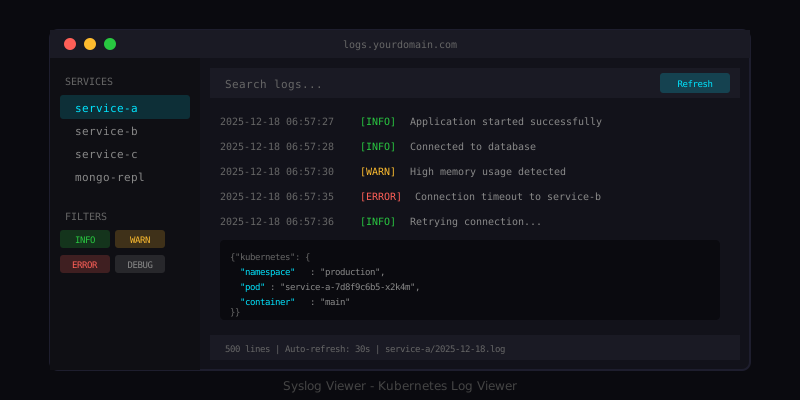
Syslog Viewer for Kubernetes Logs
A lightweight web-based log viewer for Kubernetes container logs with filtering and real-time updates.
Database Size Monitor
A comprehensive toolkit for monitoring and analyzing database sizes across various database systems.
Have a project in mind?
Let's work together to bring your ideas to life. Our team of experts is ready to help you build something amazing.