
macOS Menubar IP Viewer
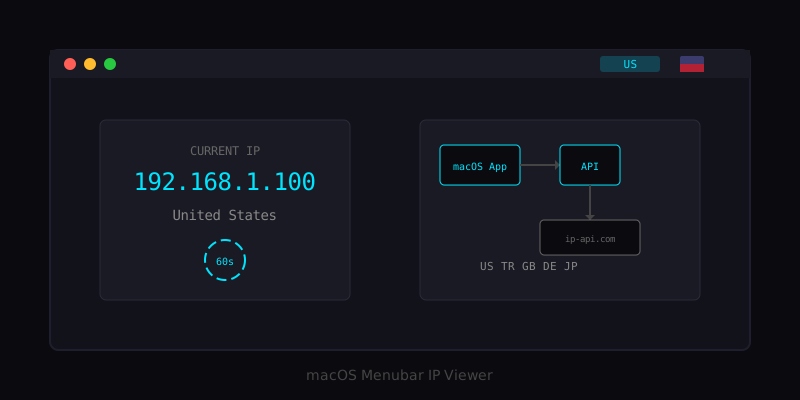
If you constantly switch VPNs and forget which country you are connected to, this utility shows your IP and country flag right in the macOS menubar.
macOS Menubar IP Viewer with Country Flag

Introduction
If you are constantly switching between VPNs and forget which country you are connected to, this simple utility is for you. The macOS Menubar IP Viewer is a lightweight application that sits in your Mac's menubar and displays your current public IP address alongside the country flag of your connection.
This project demonstrates how to build a complete solution with both a backend API and a native macOS application. Whether you are a developer who frequently tests geo-restricted services, a remote worker using VPNs for security, or just someone who wants to keep track of their network connection, this tool provides instant visibility into your current IP location.
The application uses Cloudflare's IP-to-country service (via ip-api.com) to determine your geographic location and converts the country code into a flag emoji that displays right in your menubar. At a glance, you can see exactly where your traffic appears to originate from.
Note: This project is intended as an educational example and proof of concept. Feel free to adapt it for your own needs.
The Problem
Working with VPNs presents a common challenge: keeping track of which server you are connected to. This becomes particularly problematic when:
- Testing geo-restricted content - You need to verify your VPN is routing through the correct country
- Switching between multiple VPN servers - It is easy to forget which location you selected
- Troubleshooting connection issues - Knowing your actual IP helps diagnose network problems
- Privacy verification - Confirming your real IP is not being exposed
While VPN applications typically show connection status, they often require opening the app to check your current location. Having this information always visible in the menubar eliminates that friction.
Architecture Overview
The solution consists of two main components:
macOS Menubar App                    Your API Server
      |                                    |
      |  GET /api/ip-info                  |
      |----------------------------------->|
      |                                    |
      |                                    |  Detect Client IP
      |                                    |  Query ip-api.com
      |                                    |
      |  { ip, country, countryCode }      |
      |<-----------------------------------|
      |                                    |
      |  Convert "US" to Flag Emoji        |
      |  Update Menubar Display            |
Backend API
The backend can be implemented in either Node.js or PHP, making it flexible for different hosting environments:
Node.js Version - Ideal for VPS or dedicated servers, uses Express for routing PHP Version - Perfect for shared hosting environments with no additional dependencies
Both versions perform the same function:
- Detect the client's IP address from request headers
- Query the ip-api.com geolocation service
- Return a JSON response with IP and country information
macOS Menubar Application
The native Swift application:
- Displays a status item in the macOS menubar
- Fetches IP information from your API every 60 seconds
- Converts country codes to flag emojis
- Provides manual refresh and quit options
Technical Implementation
Country Code to Flag Emoji Conversion
One of the interesting technical aspects of this project is converting ISO country codes to flag emojis. This is accomplished using Unicode regional indicator symbols:
func countryCodeToFlag(_ countryCode: String) -> String {
    let base: UInt32 = 127397
    var flag = ""
    for scalar in countryCode.uppercased().unicodeScalars {
        if let unicode = UnicodeScalar(base + scalar.value) {
            flag.append(String(unicode))
        }
    }
    return flag
}
The algorithm works by:
- Taking each character of the country code (e.g., "US")
- Adding a base value (127397) to convert ASCII letters to regional indicator symbols
- Combining the resulting Unicode scalars into a flag emoji
For example:
"US"becomesU+1F1FA U+1F1F8which renders as the United States flag"TR"becomesU+1F1F9 U+1F1F7which renders as the Turkey flag"GB"becomesU+1F1EC U+1F1E7which renders as the United Kingdom flag
API Endpoint
The API provides a simple REST endpoint that returns IP and location information:
{
  "ip": "123.45.67.89",
  "country": "United States",
  "countryCode": "US"
}
The Node.js implementation handles proxy scenarios by checking multiple headers:
app.get('/api/ip-info', async (req, res) => {
    // Get client IP from various headers (for proxy/load balancer scenarios)
    let clientIP = req.headers['x-forwarded-for'] ||
                   req.headers['x-real-ip'] ||
                   req.connection.remoteAddress;

    // Handle localhost testing
    if (clientIP === '127.0.0.1' || clientIP === '::1') {
        // Fetch public IP from ipify for local testing
        const response = await axios.get('https://api.ipify.org');
        clientIP = response.data;
    }

    // Query geolocation service
    const geoResponse = await axios.get(
        `http://ip-api.com/json/${clientIP}?fields=country,countryCode`
    );

    res.json({
        ip: clientIP,
        country: geoResponse.data.country,
        countryCode: geoResponse.data.countryCode
    });
});
Auto-Refresh Mechanism
The menubar app automatically refreshes every 60 seconds to keep the display current:
func applicationDidFinishLaunching(_ notification: Notification) {
    // Initial fetch
    fetchIPInfo()

    // Set up auto-refresh timer
    timer = Timer.scheduledTimer(withTimeInterval: 60.0, repeats: true) { _ in
        self.fetchIPInfo()
    }
}
This interval strikes a balance between keeping information current and minimizing network requests. The ip-api.com service allows 45 requests per minute, so a 60-second interval stays well within limits even with manual refreshes.
Deployment
Setting Up the API
For Node.js deployment:
cd api
npm install
npm start
For production, use PM2 to keep the service running:
npm install -g pm2
pm2 start server.js --name ip-flag-api
pm2 save
pm2 startup
Building the macOS App
- Open Xcode and create a new macOS App project
- Choose Storyboard (not SwiftUI) for the interface
- Replace AppDelegate.swift with the provided implementation
- Update the API URL to point to your server
- Build and run
For distribution, you can either:
- Use the app personally without code signing
- Sign and notarize with an Apple Developer account for public distribution
Use Cases
VPN Users
The primary use case is for VPN users who need quick visibility into their connection status. Instead of opening a VPN client to check your current server location, a quick glance at the menubar shows your apparent location.
Developers Testing Geo-Features
When developing applications with geo-restricted features, this tool helps verify that your test environment is correctly routing through the intended location.
Network Administrators
For those managing multiple network configurations, having instant visibility into the current public IP helps with troubleshooting and verification.
Performance Characteristics
The application is designed to be lightweight:
- Memory Usage: 20-30 MB
- CPU Usage: Nearly zero when idle
- Network Usage: Approximately 200 bytes per request
- Battery Impact: Negligible
Security Considerations
When deploying this solution, consider:
- Use HTTPS - Always encrypt API traffic in production
- API Authentication - Add authentication if exposing the API publicly
- Rate Limiting - The ip-api.com service has built-in limits (45 req/min)
- CORS Configuration - Restrict origins if needed for your use case
Lessons Learned
Building this project provided several insights:
- Simplicity is valuable - A focused tool that does one thing well is often more useful than a complex solution
- Unicode is powerful - The flag emoji conversion demonstrates creative use of Unicode standards
- Dual backend options - Providing both Node.js and PHP implementations makes the project accessible to more developers
- Native apps feel better - A menubar app provides a more integrated experience than a web-based alternative
Conclusion
The macOS Menubar IP Viewer demonstrates how a simple idea can be implemented as a complete, practical solution. By combining a lightweight API with a native macOS application, we created a tool that provides instant visibility into your network connection status.
Whether you use it as-is or as a starting point for your own menubar utilities, this project shows how straightforward it can be to build native macOS applications that integrate seamlessly with the operating system.
The complete source code is available on GitHub, and contributions are welcome.
This project was developed as a practical utility for developers and VPN users who need quick access to their IP location information.
Technologies Used
Backend
Other
Related Projects
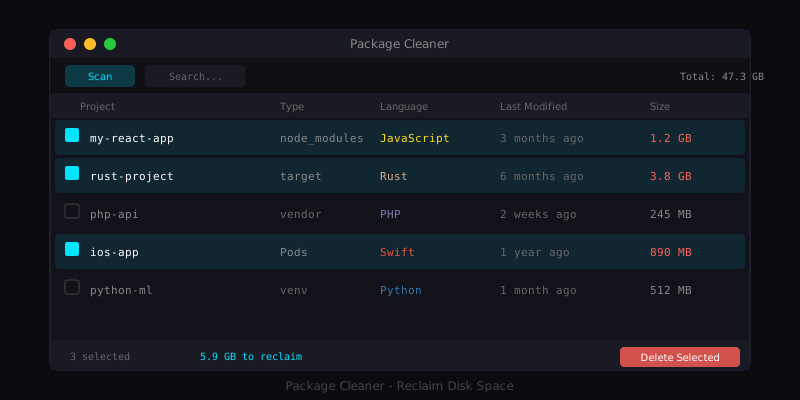
Package Cleaner for macOS
A native macOS application that helps developers reclaim disk space by finding and removing package dependency directories.
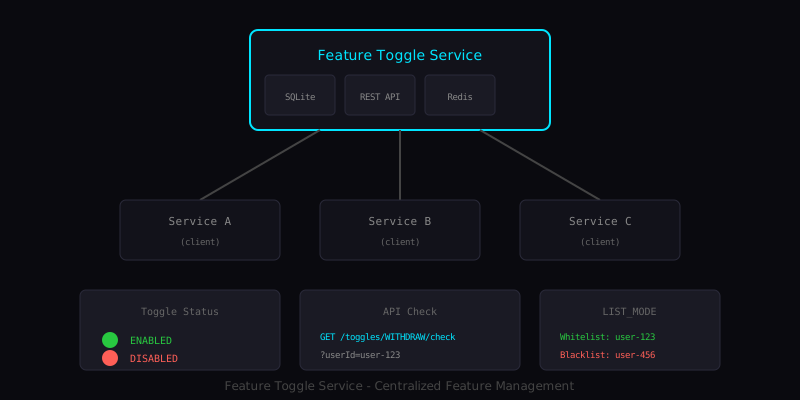
Feature Toggle Service
A centralized feature toggle management system with SQLite persistence and Redis caching for microservices.
Have a project in mind?
Let's work together to bring your ideas to life. Our team of experts is ready to help you build something amazing.